
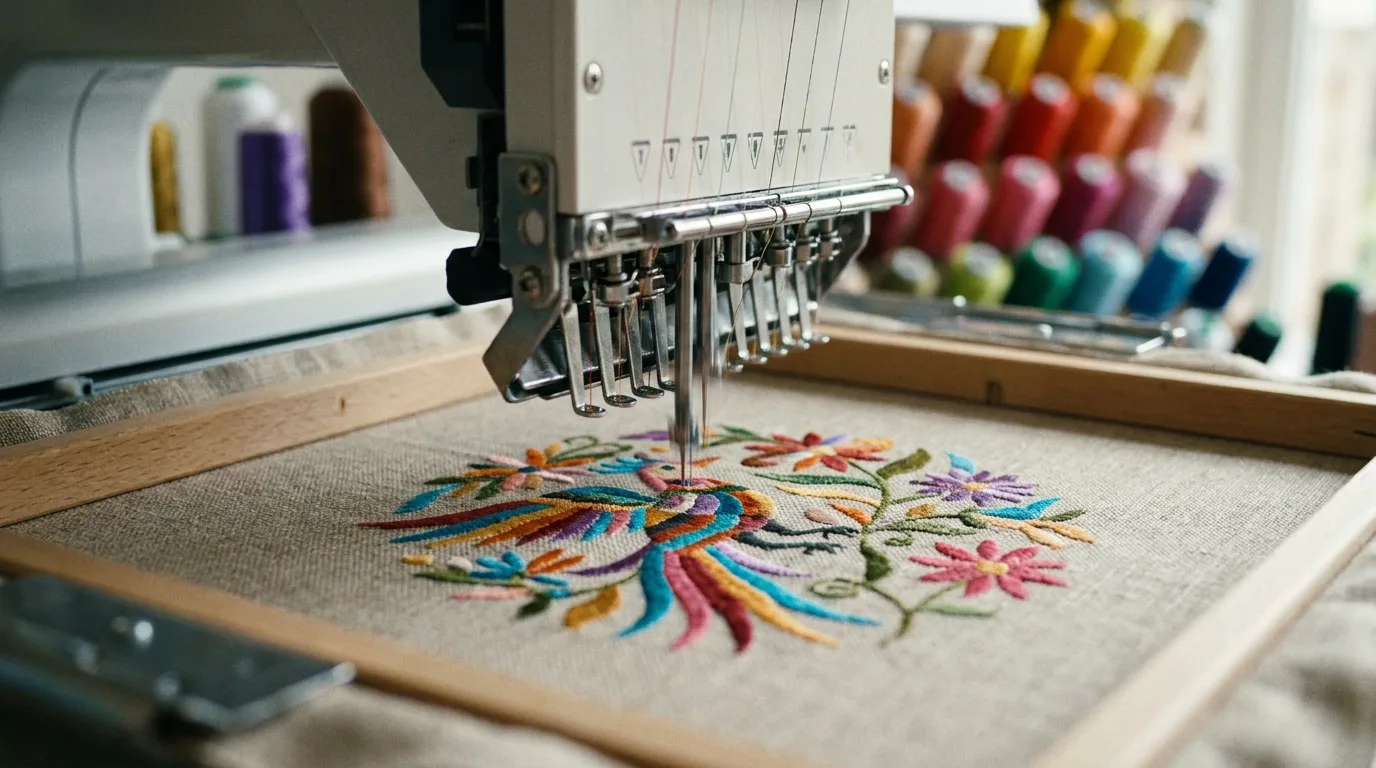
If you have ever ordered custom embroidery, you have probably been asked for a digitized file, and many sellers are unsure what that means. Logo digitizing is the essential step that turns your flat artwork into instructions an embroidery machine can actually stitch. It is the bridge between a graphic on your screen and clean thread on a cap or polo, and it has more influence on the final result than almost any other factor. In this guide we explain how logo digitizing works, what affects the final quality, and why it is worth getting right the first time.
What Is Logo Digitizing?
Logo digitizing is the process of converting a graphic file, like a PNG or vector logo, into a specialized stitch file that an embroidery machine reads. Rather than printing pixels, the machine follows a path of needle drops, so your artwork must be translated into stitch types, directions, densities, and sequences. A digitizer maps out exactly how thread should fill every shape in your design, deciding where each stitch starts and stops.
This is a skilled, partly manual craft, not a one-click conversion. Good digitizing is the difference between a crisp, professional logo and a puckered, sloppy mess, even when the same artwork and machine are used. Two digitizers can take identical art and produce very different stitch-outs, which is why experience and attention to detail matter so much in this step.
How the Logo Digitizing Process Works
A digitizer studies your artwork, decides how to break it into stitchable elements, and assigns settings for each one. The goal is a design that lies flat, reads clearly, and runs smoothly on the machine without thread breaks or unnecessary stops.
- Stitch types: Satin stitches for borders and text, fill stitches for large areas, and run stitches for fine detail.
- Underlay: Foundation stitches that stabilize fabric and prevent sinking or puckering.
- Stitch direction: Angles that create sheen and keep shapes from distorting.
- Density and pull compensation: Adjustments so the design holds shape on stretchy or thick fabrics.
- Sequencing and trims: A logical stitch order that minimizes jumps, color changes, and loose threads.
Why Logo Digitizing Quality Matters
Poor digitizing causes real problems: puckered fabric, gaps between stitches, broken threads, and logos that look thin or distorted. Quality digitizing accounts for the specific fabric and product, whether it is a flat polo chest or a curved cap front. It also optimizes stitch count, which directly affects your cost and run time. Getting it right once means clean results on every reorder, and it protects your reputation, because a sloppy logo on someone's chest reflects directly on your brand. A well-digitized file also runs faster and breaks less often, saving you time and thread on every production batch.
Preparing Artwork for Digitizing
You can make digitizing faster and cheaper by supplying clean, high-quality artwork. Vector files are ideal, but a high-resolution image works too. Simplify where you can, because embroidery favors bold shapes over fine detail and the needle has limits a printer does not.
- Send the best file you have: Vector (AI, EPS, SVG) or a large, sharp PNG.
- Simplify small details: Tiny text and thin lines rarely stitch well.
- Note the final size: A logo is digitized for a specific dimension and should not be scaled freely afterward.
- Specify thread colors: Share brand colors so the digitizer can match thread.
- Mention the fabric: Knit, twill, fleece, and mesh each need different settings.
Digitizing for Different Products
A logo is digitized differently depending on where it goes. Cap fronts need center-out stitching and special underlay because the fabric is curved and structured, while a flat polo chest is more forgiving. This is why a file digitized for a tee may not stitch cleanly on a hat without adjustments. Knowing the destination product up front saves time and money, and it is smart to order a separate digitized version for each major product type you plan to decorate so every item looks its best.
How to Tell Good Digitizing From Bad
Even if you never run a machine yourself, you can learn to spot quality. A good stitch-out has smooth, even satin edges, no visible bobbin thread peeking through, text that is sharp and readable, and fabric that lies flat without rippling around the design. Warning signs include lumpy or uneven borders, gaps that show the garment underneath, frayed letters, and puckering that distorts the shirt. Always ask your digitizer for a stitch-out photo or a small test before committing to a full run, especially on a new fabric or a tricky logo. Catching issues on one sample is far cheaper than discovering them across a hundred finished pieces.
What Affects Logo Digitizing Cost
Digitizing pricing usually comes down to a handful of factors, and understanding them helps you budget and avoid surprises. The biggest driver is complexity: a simple two-color text logo stitches with far fewer instructions than a detailed badge with gradients, small lettering, and many color changes. Size matters too, since a larger design covers more area and accumulates a higher stitch count. Special requirements such as 3D puff for caps, metallic thread, or appliqué add setup work. Rush turnaround can raise the price, while clean, ready-to-use source art can lower it because the digitizer spends less time cleaning up the file. The good news is that digitizing is typically a one-time fee per design and size, so even a slightly higher upfront cost is spread across every garment you ever stitch with that file. When you compare quotes, ask what is included, whether revisions and a sample stitch-out are part of the price, and how the digitizer handles edits if the first version needs tweaking. A transparent, fair quote from an experienced digitizer is almost always worth more than the cheapest option, because a poorly digitized file costs you far more in wasted blanks and unhappy customers.
Planning embroidered caps or polos? Pair your digitized logo with our classic dad hat or men's customized polo shirts, browse the full apparel catalog for more blanks, and find more guides on the Mr Beat blog.
Frequently Asked Questions
Is logo digitizing a one-time cost?
Usually yes. Once your logo is digitized for a specific size and product, the same stitch file is reused on future orders, so you only pay the digitizing fee once for that version.
Can I digitize my own logo?
Digitizing software exists, but it has a steep learning curve. Professional digitizers know how to set stitch types, underlay, and density for clean results, which is why most sellers outsource it.
What file should I send for digitizing?
A vector file (AI, EPS, or SVG) is best, but a high-resolution PNG works too. Cleaner source art leads to a cleaner, faster, and often cheaper digitized file.
Why does my embroidered logo look puckered?
Puckering usually points to digitizing issues like missing underlay, excessive density, or wrong settings for the fabric. Quality digitizing tailored to your product prevents it.
How long does logo digitizing take?
A standard left-chest logo is often digitized within a day or two, while complex or large designs take longer. Building in a little lead time before your production deadline keeps your orders on schedule.
Do I need a separate file for hats and shirts?
For best quality, yes. Curved caps need center-out stitching and different underlay than a flat shirt chest, so a dedicated version for each product type produces noticeably cleaner results.
Need your artwork stitched flawlessly? Shop Mr Beat Print Studio for expert logo digitizing and custom embroidery services that make every logo look sharp.