
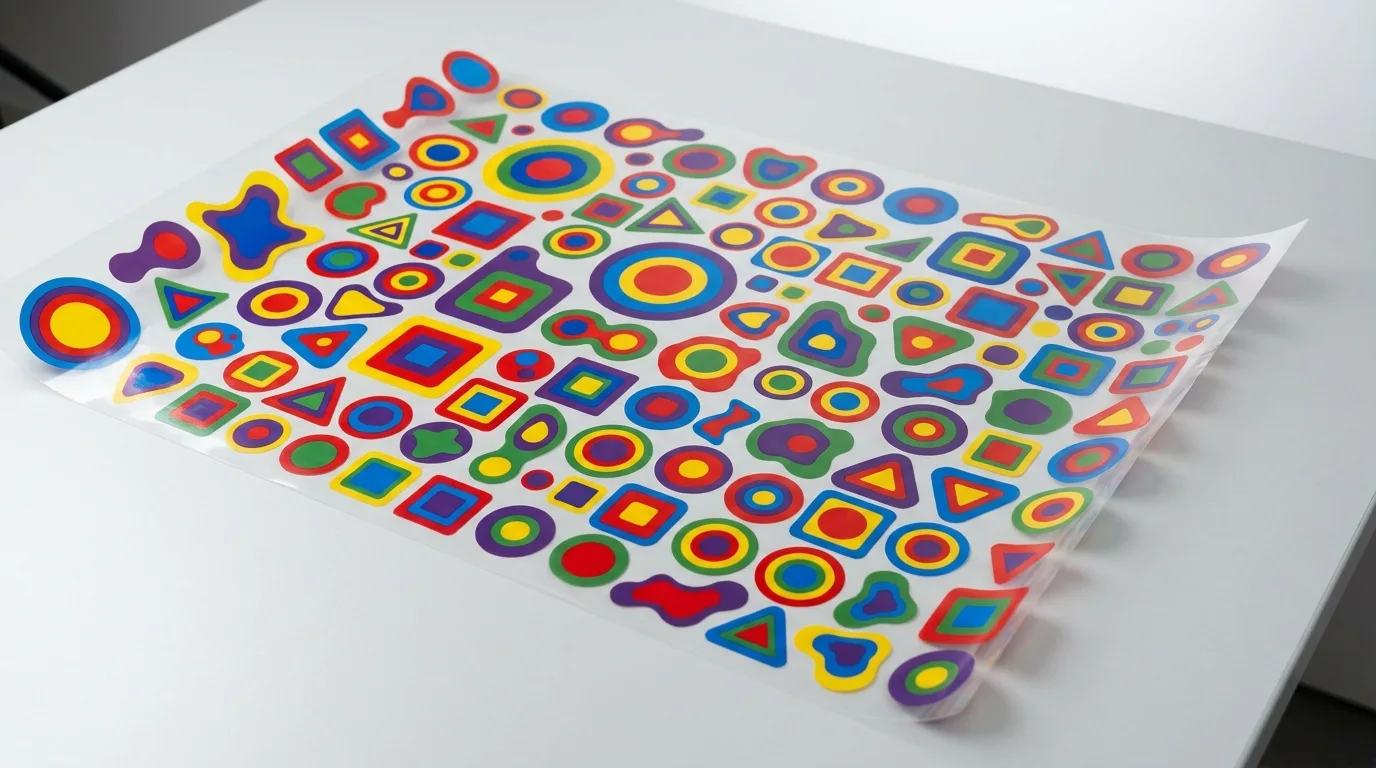
If you print custom apparel, understanding the DTF gang sheet could be the easiest way to cut your costs without cutting corners. A gang sheet lets you pack many designs onto a single sheet of film, so you pay for the space you actually use instead of wasting film around small images. In this guide, we explain exactly what a gang sheet is, why it is a smart move for any print business, and how to build one that maximizes every inch.
What Is a DTF Gang Sheet?
A DTF gang sheet is a single large sheet of transfer film that holds multiple designs arranged together, or ganged, to use the available space efficiently. Instead of ordering one transfer per sheet and paying for lots of empty film, you nest several logos, names, or graphics onto one sheet. After it is printed, you simply cut out each design and press them individually.
This approach is popular with small businesses, crafters, and POD sellers who print a variety of designs and sizes. It turns wasted margins into usable, billable space. A single gang sheet might carry a dozen left-chest logos, a few back prints, and a row of small name tags all at once, ready to cut apart and apply to different garments.
Why a DTF Gang Sheet Saves You Money
The savings come from how DTF is priced. You typically pay by the area of film, so every empty inch around a small design is money lost. Ganging your artwork eliminates that waste.
- Lower cost per print: Packing designs tightly means you pay less per individual transfer.
- Less wasted film: Empty space is filled with useful artwork instead of being thrown away.
- Fewer orders to manage: Combine many jobs into one sheet and one checkout.
- Better for small runs: Mix sizes and designs without committing to bulk per-design minimums.
- Reduced shipping costs: One sheet means one shipment instead of several.
For sellers fulfilling many small orders, these savings add up fast over a busy season. Consider a maker who needs twenty small logos. Ordering them individually wastes film and shipping on every order, while a single gang sheet fits them all and can cut the per-design cost dramatically.
A Quick Cost Comparison Example
Numbers make the value obvious. Imagine you need ten 4-inch logos. Ordered as ten separate small transfers, you pay a minimum charge on each one plus shipping on each, and a lot of the film around every logo goes to waste. Now picture those same ten logos nested onto one standard gang sheet. You pay for a single sheet of film, the empty space is filled with your artwork, and you ship one package. The per-logo cost can drop by half or more, and you still receive the same ten ready-to-press transfers. Multiply that across a month of orders and the gang sheet quickly pays for itself.
How to Build a DTF Gang Sheet
Building a gang sheet is easier than it sounds. You upload your designs, arrange them on a virtual sheet, and the tool helps you nest them to maximize space. You control the sizing and spacing so each design has a little room for cutting. Our online gang sheet builder makes this simple with a drag-and-drop layout, or if your file is already arranged, you can upload your ready-made gang sheet directly.
Tips for an Efficient Gang Sheet
- Leave cutting space: Add a small gap between designs so you can trim cleanly.
- Mix sizes smartly: Fill gaps with smaller logos or text to use every inch.
- Group by order: Keep related designs near each other for easy sorting.
- Use high-resolution files: Crisp artwork ensures sharp, professional prints.
- Rotate designs to fit: Turning a graphic sideways can often close an awkward gap.
Common Gang Sheet Mistakes to Avoid
A gang sheet only saves money when it is set up correctly. The most common mistake is crowding designs so tightly that there is no room to cut them apart cleanly, which can nick a neighboring graphic. The opposite error, leaving too much space, wastes the film you are trying to economize. Using low-resolution images is another pitfall, since stretching a small file to fill space produces blurry prints. Forgetting to flip or mirror text when required, mixing wildly different design styles that are hard to sort, and not labeling which design belongs to which order can all create headaches at press time. A few minutes of careful layout prevents all of these.
Who Benefits Most From Gang Sheets?
Gang sheets shine for anyone juggling variety. Etsy and Shopify sellers can batch multiple product designs at once. Print shops can combine several client jobs onto one sheet to lower overhead. Crafters and hobbyists can print a mix of personal projects without paying full price for each. Even single users testing new designs save money by squeezing samples into leftover space. Sports teams, schools, and small clubs also benefit, since they often need many names and numbers that nest perfectly onto a shared sheet. If you regularly press a range of artwork, a gang sheet almost always beats ordering transfers one at a time.
Getting Started With DTF Gang Sheets
The best way to see the savings is to try it. Gather your most-used designs, decide on sizes, and lay them out on a single sheet. Compare the cost to ordering each transfer separately and the difference will be obvious. Pair your gang sheet with quality blanks from our full product catalog and you have an efficient, low-cost production pipeline. With a little planning, a DTF gang sheet turns scattered orders into one streamlined, money-saving print run. For more tips on pressing and growing your print business, visit the Mr Beat Print Studio blog.
Frequently Asked Questions
What is a DTF gang sheet?
A DTF gang sheet is a large sheet of transfer film that holds multiple designs arranged together to use space efficiently. You cut out each design after printing and press them individually.
How does a gang sheet save money?
DTF is priced by film area, so ganging designs together fills empty space with useful artwork. This lowers your cost per print and reduces wasted film and shipping.
Can I mix different designs and sizes on one gang sheet?
Yes. Gang sheets are ideal for mixing various logos, names, and sizes on a single sheet, which is perfect for sellers and shops handling many small orders at once.
How do I make a gang sheet?
Use an online builder to upload and arrange your designs, or upload a file you have already laid out. Just leave a little space between designs for clean cutting.
What resolution should my gang sheet artwork be?
Aim for 300 DPI at the final print size. High-resolution files keep edges crisp and colors solid, while low-resolution images stretched to fit will print blurry and unprofessional.
Do all the designs on a gang sheet have to be pressed at the same time?
No. You cut each design from the sheet and press them whenever you need them. This lets you fulfill orders over time from a single cost-effective sheet.
Start saving on every print by building your custom gang sheet at Mr Beat Print Studio today.