
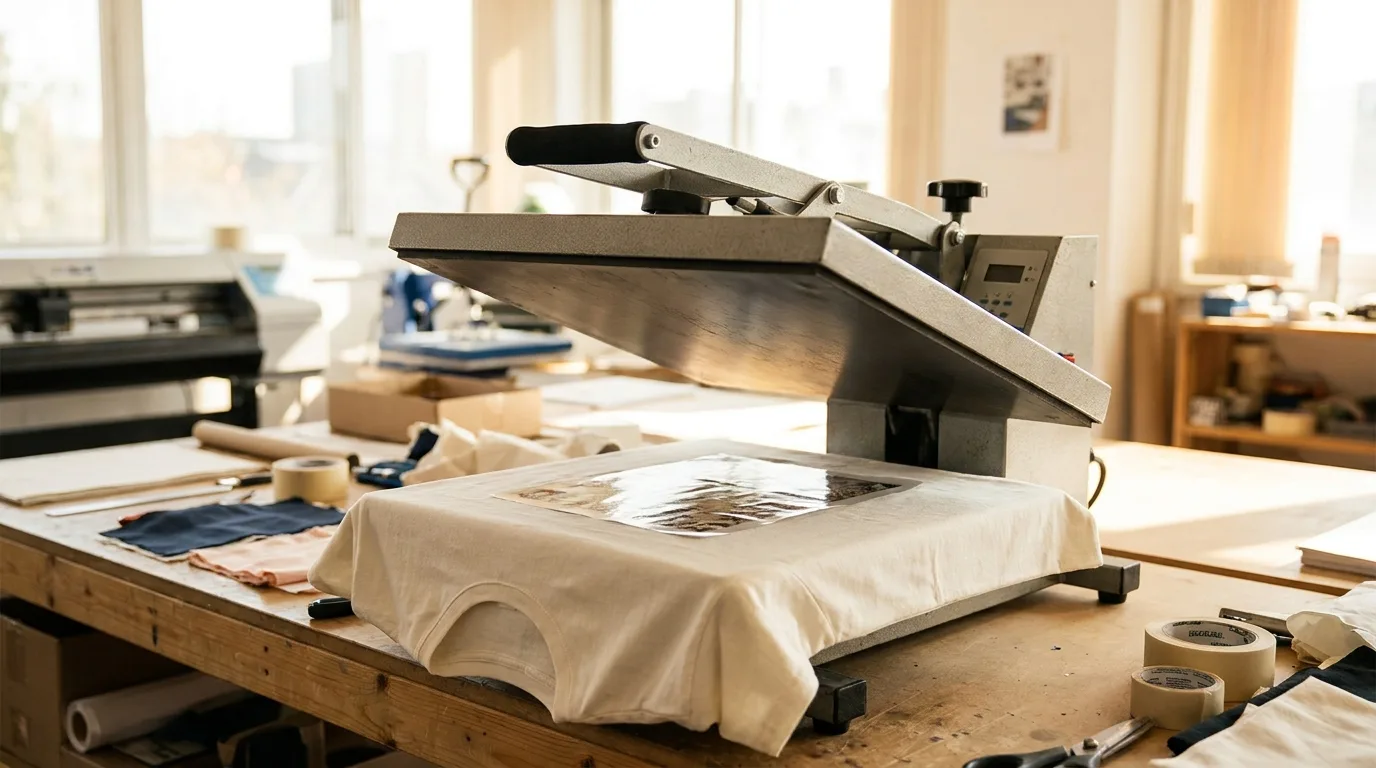
Nailing your DTF heat press settings is the single most important step in producing durable, professional prints. Get the time, temperature, and pressure right and your transfers will bond firmly and survive countless washes. Get them wrong and you risk peeling, cracking, or scorched fabric. This guide walks you through the ideal settings, the science behind them, and the small adjustments that make a big difference.
The Standard DTF Heat Press Settings
While exact numbers vary slightly by film and fabric, most DTF transfers press well within a reliable range. Use these as your starting point, then fine-tune based on your equipment and material.
- Temperature: 300 to 325 degrees Fahrenheit for cotton and blends.
- Time: 10 to 15 seconds for the main press.
- Pressure: Medium to firm, roughly 40 to 60 PSI.
- Peel: Follow your film type, whether cold peel or hot peel.
- Post-press: 5 to 10 seconds after peeling to lock in durability.
Always confirm the manufacturer recommendations for your specific transfers, since adhesive formulas differ between suppliers. Writing these numbers on a card taped to your press is a simple habit that keeps every job consistent.
Why Time, Temperature, and Pressure Work Together
These three variables are a balancing act. Temperature melts the adhesive powder so it flows into the fabric fibers. Time ensures the heat penetrates fully without scorching. Pressure pushes the melted adhesive into the material for a strong mechanical bond. If any one of them is off, the others cannot compensate. Too little pressure leaves a weak bond even at the right temperature, while too much time at high heat can yellow synthetic fabrics.
Think of it as a recipe where every ingredient depends on the others to get a clean, lasting result. If you increase one variable, you often need to decrease another. For example, pressing a thick hoodie may call for slightly more time so the heat reaches the adhesive through the extra fabric, but you would keep the temperature steady to avoid scorching the surface.
A Step-by-Step DTF Pressing Workflow
Consistency comes from following the same sequence every time. Here is a reliable order of operations that professional shops use.
- Step 1, pre-press: Press the bare garment for about 5 seconds to remove moisture and wrinkles.
- Step 2, position: Lay the transfer face down exactly where you want it, using a ruler or alignment tool for straight placement.
- Step 3, main press: Close the press at your target temperature, time, and pressure.
- Step 4, peel: Remove the carrier film according to your film type, hot or cold.
- Step 5, post-press: Cover the design with parchment or a Teflon sheet and press again for 5 to 10 seconds to lock in the bond and add wash durability.
Following this exact order removes guesswork and makes your results repeatable across every shirt in a batch.
Adjusting Settings for Different Fabrics
Not every garment can handle the same heat. Delicate or synthetic fabrics need a gentler touch, while heavy cotton can take more. Always test on a scrap of the same material before running a full batch.
Fabric-Specific Tweaks
- Polyester: Lower temperature to 280 to 300 degrees and use a cover sheet to prevent scorching.
- Nylon: Reduce heat further and shorten dwell time to avoid melting.
- Cotton and blends: Standard 300 to 325 degrees works perfectly.
- Tote bags and canvas: Use firm pressure and a slightly longer press for thick weaves.
Our cotton canvas tote bag and blank unisex hoodie for printing both respond well to standard settings, making them great for testing your press.
Common DTF Pressing Mistakes to Avoid
Even with the right numbers dialed in, small errors can ruin a transfer. The most common culprit is uneven pressure, often caused by seams, zippers, or thick hems sitting under the platen. Use a heat press pillow to even things out. Another frequent mistake is skipping the pre-press, which removes moisture and wrinkles from the garment so the adhesive bonds cleanly. Finally, peeling at the wrong moment, too hot or too cold for your film type, can lift the design. Other avoidable errors include trusting the display temperature without verifying it, pressing over collars or pockets that create gaps, and reusing a parchment sheet so many times that it sticks to the print. Rushing between garments without letting the platen recover to full temperature is another silent killer, since a press that has dropped even twenty degrees can leave a transfer under-bonded and prone to peeling after the first wash.
Dialing In Your Press for Consistent Results
Every heat press runs a little differently, so calibrate yours with a few test prints. Check that the platen temperature matches the display using an infrared thermometer, and confirm pressure is even across the whole surface. Worn or cheap presses often have cold spots near the edges, so move a test transfer to different areas of the platen to find them. Once you find a winning combination, write it down and repeat it. Consistency is what separates hobbyists from professional shops. For reliable transfers that respond predictably to standard DTF heat press settings, start with our DTF transfers by size.
With the right settings and a little practice, you will produce vibrant, wash-proof prints every single time. For more printing guides and troubleshooting tips, browse the Mr Beat Print Studio blog.
Frequently Asked Questions
What temperature should I press DTF transfers at?
Most DTF transfers press best at 300 to 325 degrees Fahrenheit on cotton and blends. Lower the temperature to around 280 to 300 degrees for polyester to avoid scorching.
How long do you press a DTF transfer?
The main press usually runs 10 to 15 seconds, followed by a 5 to 10 second post-press after peeling to maximize wash durability.
How much pressure do DTF transfers need?
Use medium to firm pressure, roughly 40 to 60 PSI. Firm, even pressure pushes the adhesive into the fibers for a strong, lasting bond.
Do I need to pre-press the garment first?
Yes. A quick 5 second pre-press removes moisture and wrinkles, helping the adhesive bond cleanly and improving the final result.
Why is my DTF transfer peeling after washing?
Peeling usually points to too little pressure, too short a press time, or a skipped post-press. Increase pressure, confirm your temperature with a thermometer, and always do a final post-press under parchment to lock in the bond.
Can I use a household iron instead of a heat press?
An iron can work for small one-off projects, but it cannot deliver the even, consistent pressure and temperature a heat press provides. For durable results, especially on orders you sell, a proper heat press is strongly recommended.
Stock up on consistent, press-ready transfers at Mr Beat Print Studio and get professional results from your very first press.